Version 2.0 - Now with SMS Alerts!

Monitor Your Entire Network Infrastructure

Professional network monitoring solution with visual device dashboard, real-time alerts, SMS notifications, and comprehensive reporting. Perfect for IT teams of any size.

30 Days
Free Trial
5 Min
Setup Time
24/7
Monitoring
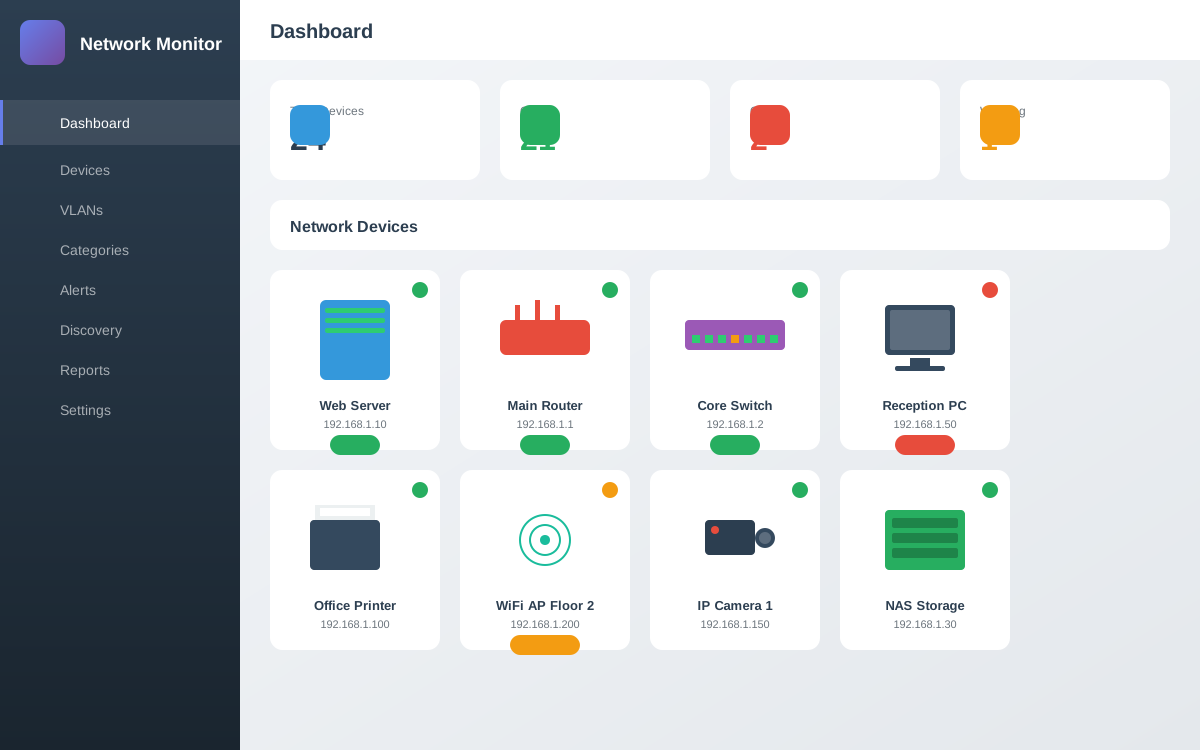
Network Monitor Dashboard

Powerful Features for Complete Network Visibility

Everything you need to monitor, analyze, and maintain your network infrastructure in one comprehensive solution.

Visual Dashboard

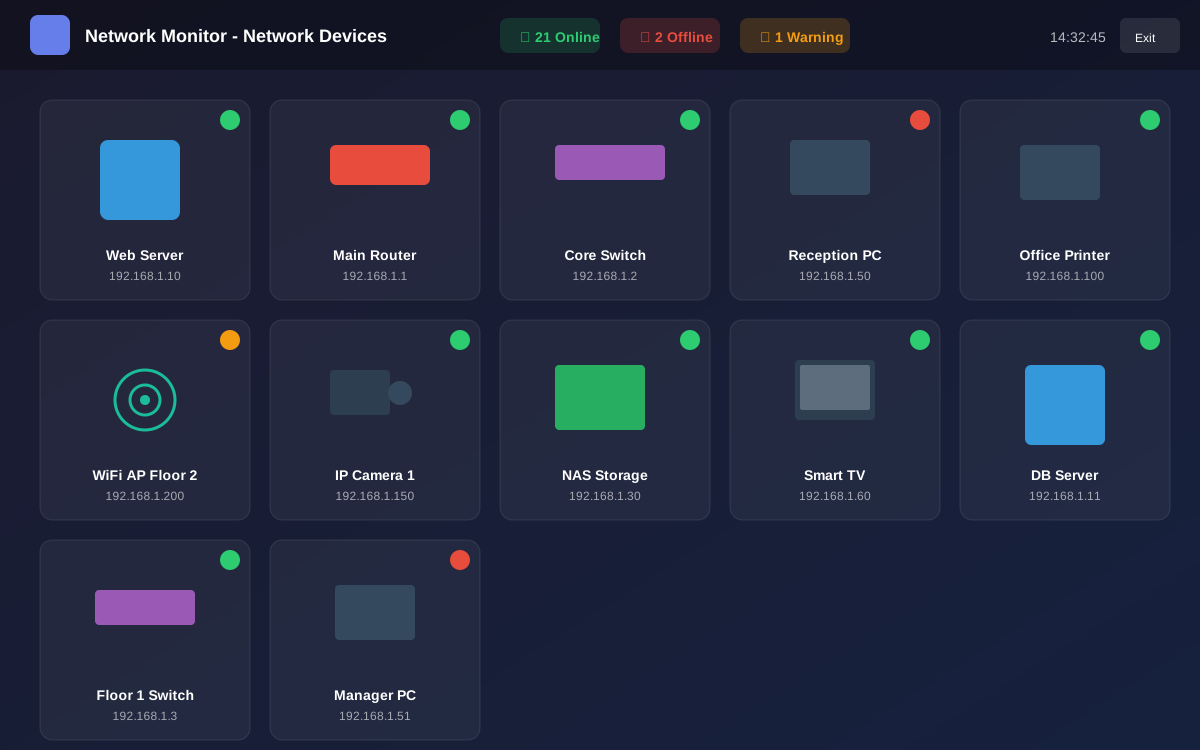
Beautiful device illustrations with real-time status LEDs. See your entire network at a glance with auto-refresh every 30 seconds.

SMS & Email Alerts

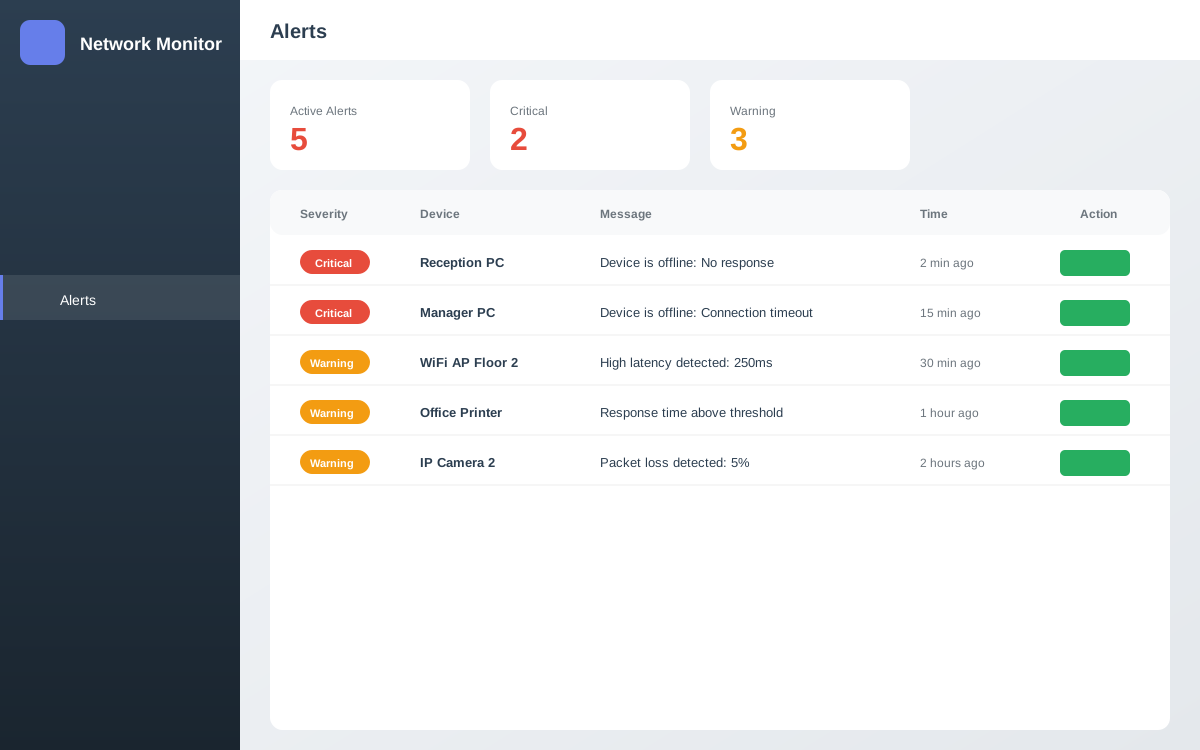
Get instant notifications when devices go offline. Supports Twilio, Vonage, Textlocal, and custom SMS gateways.

Network Discovery

Automatically scan subnets and IP ranges to discover new devices. Add them to monitoring with one click.

Uptime Reports

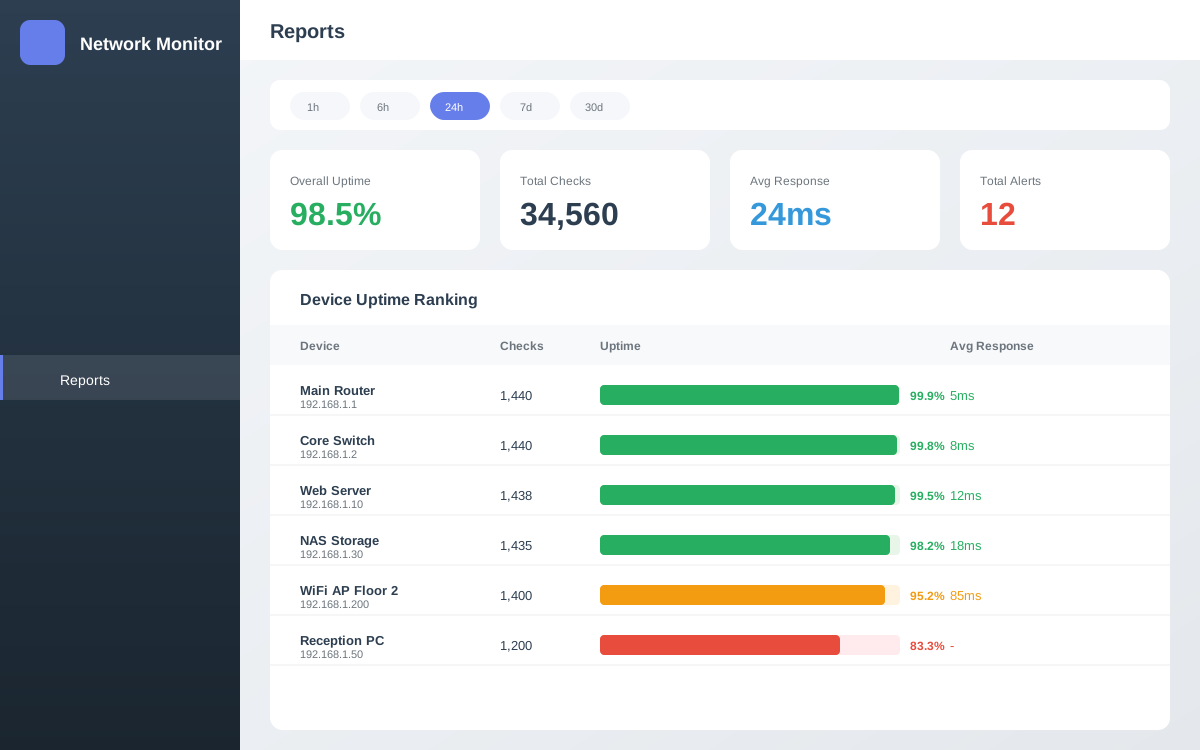
Detailed uptime statistics, response time analysis, and historical data. Export reports for compliance.

VLAN Support

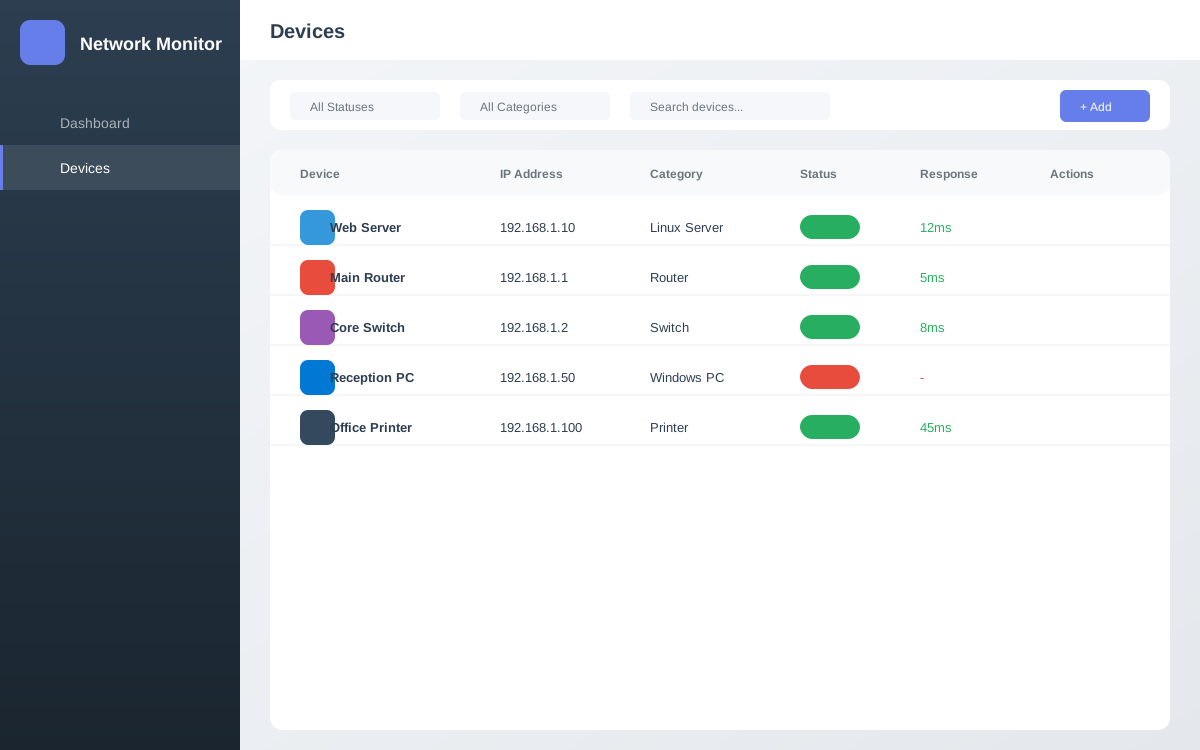
Organize devices by VLAN with color coding. Filter and manage devices across multiple network segments.

NOC Display Mode

Full-screen mode perfect for wall displays and NOC centers. Dark theme with large status indicators.

See It In Action

Explore the intuitive interface designed for network administrators

Network Monitor Dashboard Device Management Fullscreen Mode Alerts System Reports

Watch The Demo

See how Network Monitor Pro can transform your network management workflow

Simple, Transparent Pricing

Choose the plan that fits your network size. All plans include 30-day free trial.

Basic
$99/year
  • Up to 25 devices
  • Visual dashboard
  • Email alerts
  • SMS alerts
  • Network discovery
  • Advanced reports
  • 1 year updates
  • Email support
Get Started
Enterprise
$299/year
  • Unlimited devices
  • Visual dashboard
  • Email alerts
  • SMS alerts
  • Network discovery
  • Advanced reports
  • Lifetime updates
  • 24/7 support
Get Started

Easy Installation

Get up and running in minutes with our step-by-step guide

1

Install XAMPP

Download and install XAMPP from apachefriends.org. Make sure to select PHP 8.0+ and MySQL.

2

Extract Files

Extract the netmonitor.zip file to your XAMPP htdocs folder:

C:\xampp\htdocs\netmonitor\
3

Create Database

Open phpMyAdmin (http://localhost/phpmyadmin), then import the SQL file:

-- Import this file:
C:\xampp\htdocs\netmonitor\database\schema.sql
4

Configure Database

Edit the database configuration file:

// File: config/database.php

define('DB_HOST', 'localhost');
define('DB_NAME', 'netmonitor');
define('DB_USER', 'root');
define('DB_PASS', ''); // Your MySQL password
5

Setup Scheduled Task (Optional)

For automatic monitoring, create a Windows Task Scheduler task that runs every minute:

Program: C:\xampp\php\php.exe
Arguments: -f "C:\xampp\htdocs\netmonitor\cron\check_devices.php"
6

Access Your Installation

Open your browser and go to:

http://localhost/netmonitor

Default Login:
Username: admin
Password: password
1

Install LAMP Stack

Install Apache, MySQL, and PHP:

sudo apt update
sudo apt install apache2 mysql-server php php-mysql php-curl php-mbstring unzip
2

Extract Files

Extract the netmonitor.zip to your web root:

cd /var/www/html
sudo unzip netmonitor.zip
sudo chown -R www-data:www-data netmonitor
sudo chmod -R 755 netmonitor
3

Create Database

Log into MySQL and create the database:

sudo mysql -u root -p

-- In MySQL:
CREATE DATABASE netmonitor;
CREATE USER 'netmonitor'@'localhost' IDENTIFIED BY 'your_password';
GRANT ALL PRIVILEGES ON netmonitor.* TO 'netmonitor'@'localhost';
FLUSH PRIVILEGES;
exit;

# Import schema:
sudo mysql -u root -p netmonitor < /var/www/html/netmonitor/database/schema.sql
4

Configure Database

Edit the configuration file:

sudo nano /var/www/html/netmonitor/config/database.php

// Update these values:
define('DB_HOST', 'localhost');
define('DB_NAME', 'netmonitor');
define('DB_USER', 'netmonitor');
define('DB_PASS', 'your_password');
5

Setup Cron Job

Add automated monitoring cron job:

sudo crontab -e

# Add this line:
* * * * * /usr/bin/php /var/www/html/netmonitor/cron/check_devices.php
6

Access Your Installation

Open your browser and go to:

http://your-server-ip/netmonitor

Default Login:
Username: admin
Password: admin123

Trusted by IT Professionals

See what our customers say about Network Monitor Pro

"Finally, a network monitor that's easy to set up and actually looks good. The visual dashboard is a game-changer for our NOC team."

JD
John Davidson
IT Manager, TechCorp

"The SMS alerts have saved us countless times. We know about outages before our customers do. Worth every penny!"

SM
Sarah Mitchell
Network Admin, DataFlow

"Setup took 10 minutes, and it just works. The network discovery feature found devices we didn't even know we had!"

MR
Michael Roberts
Sysadmin, CloudNine

Frequently Asked Questions

Everything you need to know about Network Monitor Pro

What are the system requirements?
Network Monitor Pro requires PHP 7.4 or higher, MySQL 5.7 or higher, and the PHP cURL extension. It runs on any web server including Apache, Nginx, and IIS. Works on Windows, Linux, and macOS.
How does the free trial work?
You get full access to all features for 30 days. No credit card required. After the trial, simply enter your license key to continue using the software. All your data and settings are preserved.
Can I upgrade my license later?
Yes! You can upgrade from Basic to Professional or Enterprise at any time. Just purchase the new license and enter the key. You'll only pay the difference for the remaining period.
What monitoring protocols are supported?
We support Ping (ICMP), TCP Port checks, HTTP/HTTPS monitoring, and SNMP v1/v2c/v3. You can choose the best method for each device type.
Is my data stored in the cloud?
No, Network Monitor Pro is self-hosted. All data stays on your own server. You have complete control over your data and network information.
Do you offer refunds?
Yes, we offer a 30-day money-back guarantee. If you're not satisfied with your purchase, contact us for a full refund, no questions asked.

Ready to Monitor Your Network?

Start your 30-day free trial today. No credit card required. Full access to all features.

1,000+ downloads